V404 Cygni 20h 24m 03.8s +33° 52′ 02″
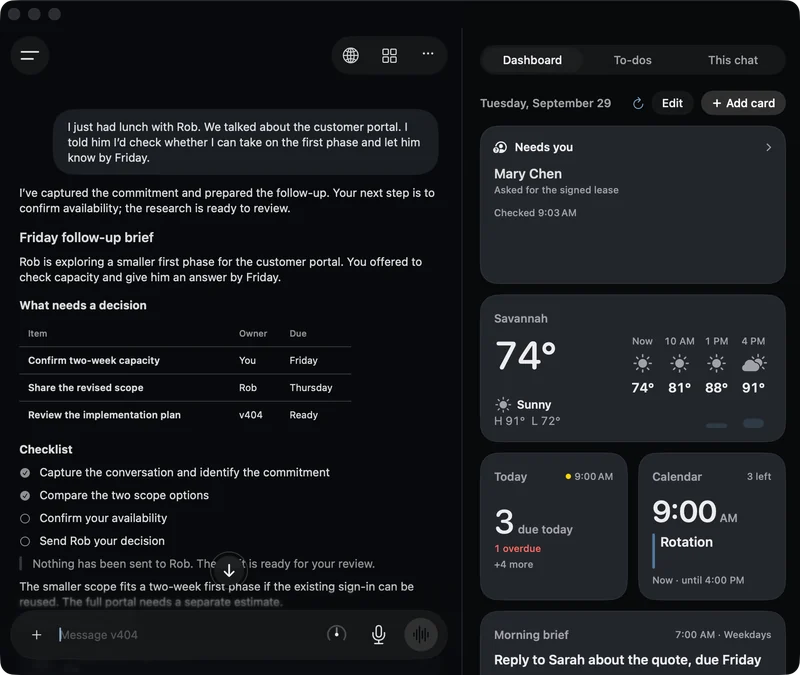
Overnight, v404 reads your mail and texts, turns what matters into to-dos, and does the groundwork on each one.
In the morning you approve and it's done. v404 is an AI agent that runs on your Mac, and the Mac has to stay on, awake and online.
v404 is in development. The Mac beta is not out yet.
01 Mail and texts 11:40 pm
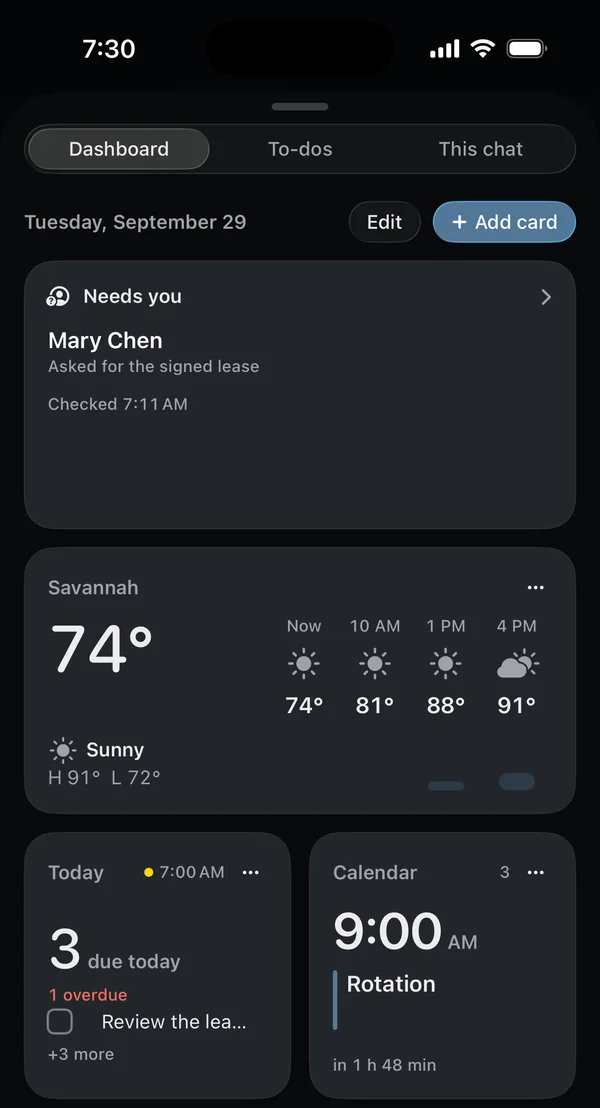
While you sleep, v404 reads the mail and texts on your Mac.
It reads new mail and texts from the Mail and Messages accounts you turn on in v404's settings. A thread that needs an answer gets a draft reply. Junk goes into one list that you can clear with one tap, and clearing it hides those messages in v404 and leaves them in Mail.
v404's overnight work, described here and in the next three sections, is still being built.
02 To-dos 12:15 am
What's on your event horizon?
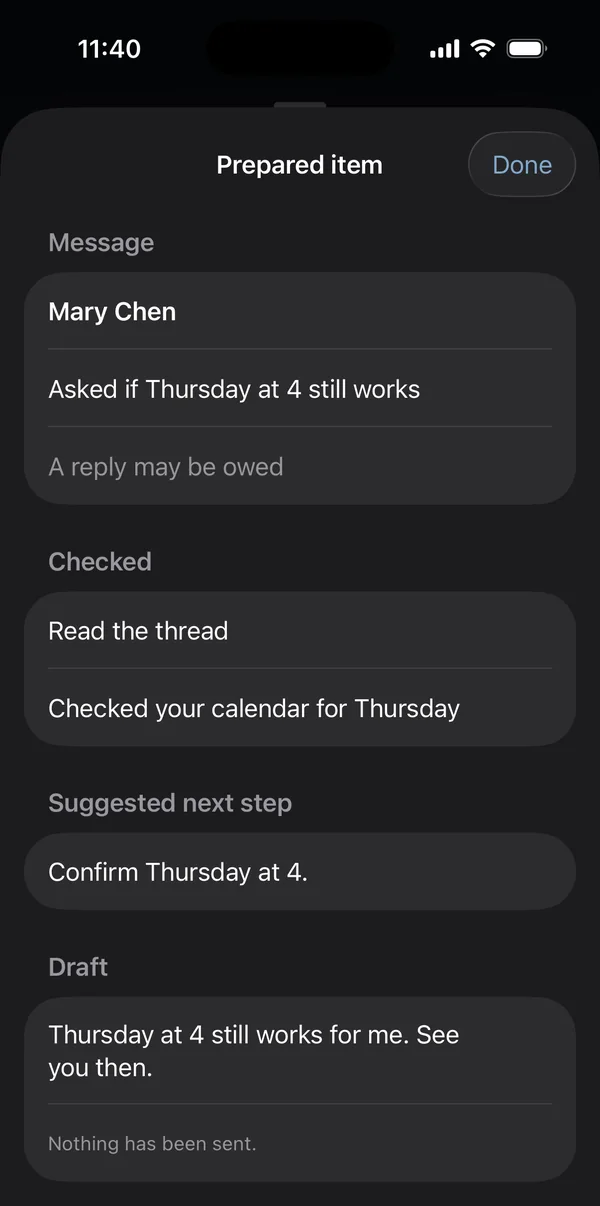
Add it in a sentence. v404 files it, gives it a date and starts preparing it overnight.
When a message needs more than a reply, v404 proposes a to-do from it, with the date when the message gives one. A proposed to-do waits in To sort until you add it or dismiss it.
03 Preparing to-dos 2:10 am
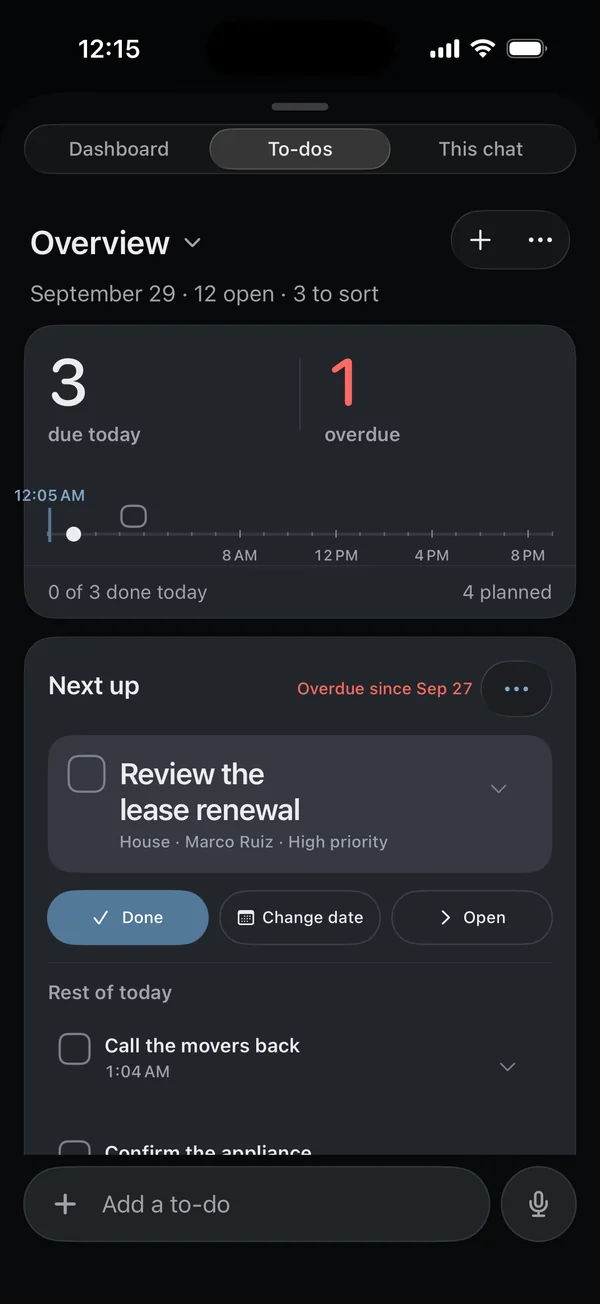
Then v404 prepares up to 12 of your open to-dos.
It starts with the ones you marked for help, then the ones due soonest. For each one it prepares a draft reply, a plan with steps, a suggested time that is free in your calendar, or research from the web if you turn it on. Nothing it prepares changes a to-do until you approve it.
04 The morning page 7:30 am
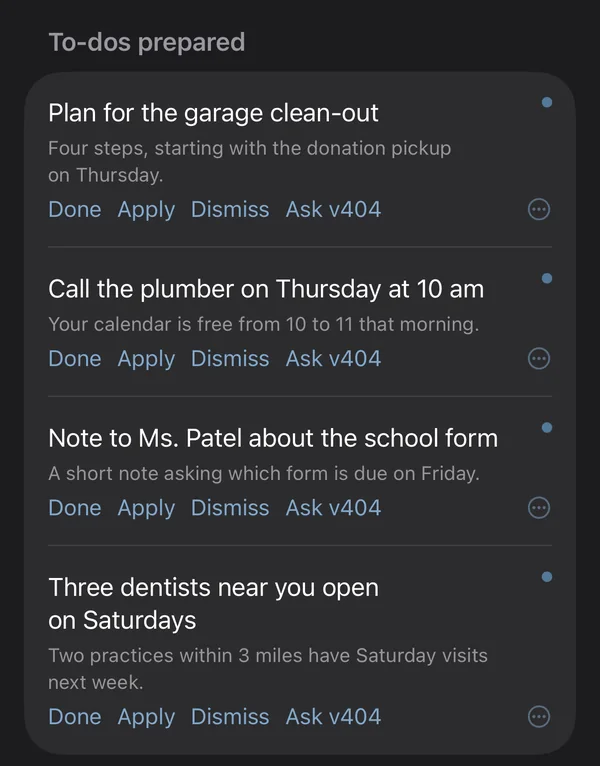
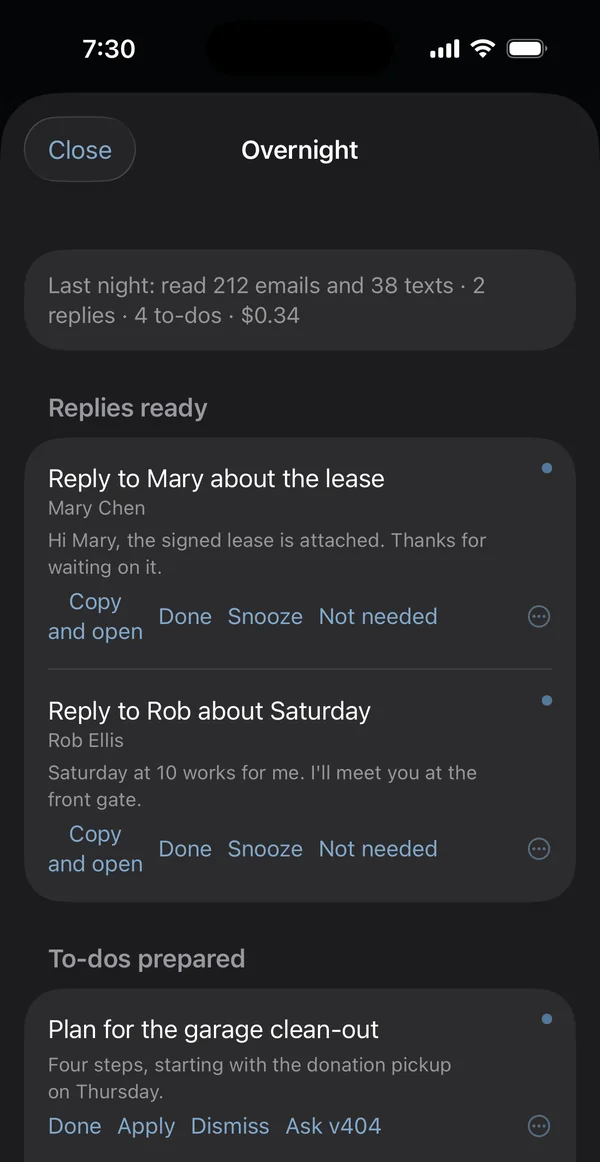
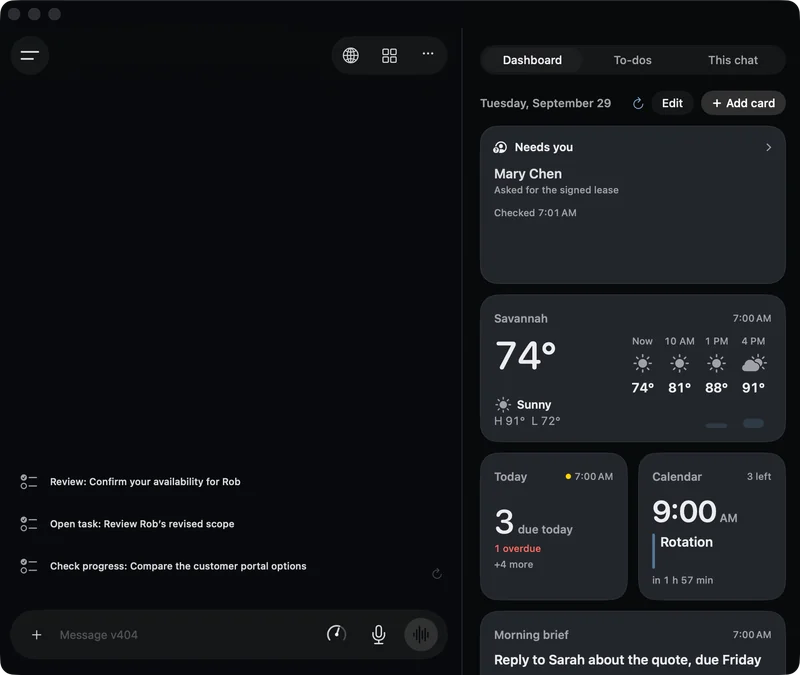
In the morning, one page shows what is ready.
You can approve a prepared to-do, add a proposed one, open a draft reply or dismiss what you do not need. A draft reply opens in Mail or Messages, where you can edit it and send it yourself. The overnight work has no way to send a message or buy anything.
The morning page is still being built.
05 Background work
You will be able to stop background work with one tap.
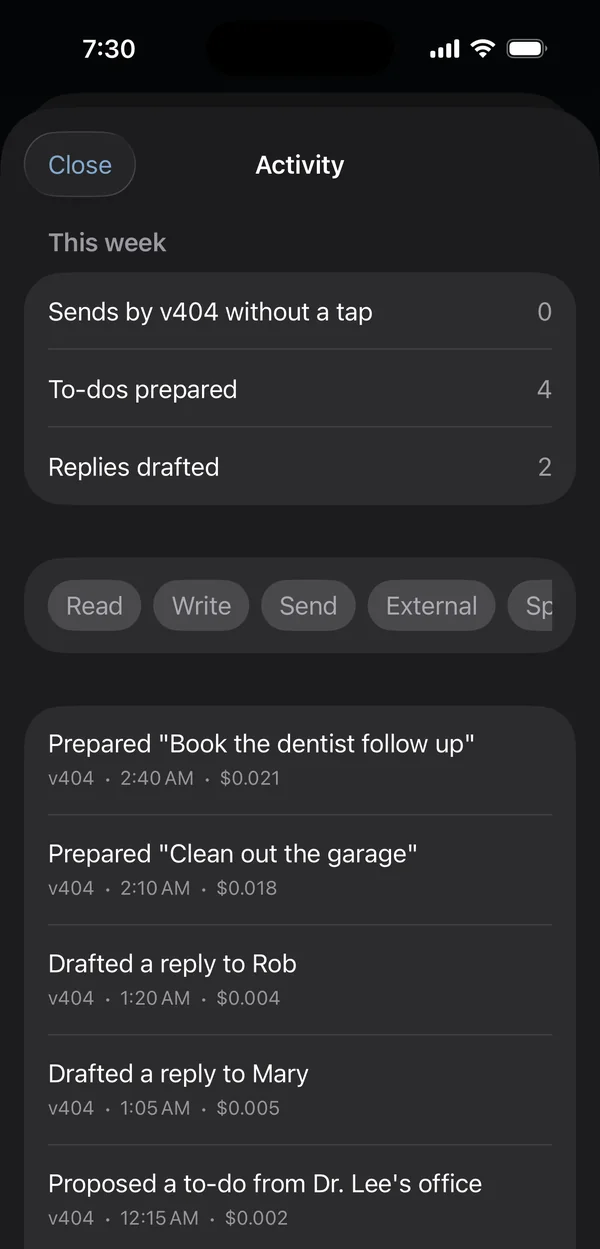
Stop will halt everything v404 is doing in the background within about 5 seconds. An activity log will list each action it took and what it cost. You will set a monthly spend limit, and background work will pause when the limit is used up.
The Stop button, the activity log and the spend limit are still being built. They are planned for the beta.
06 Your own jobs
You can also give v404 jobs yourself.
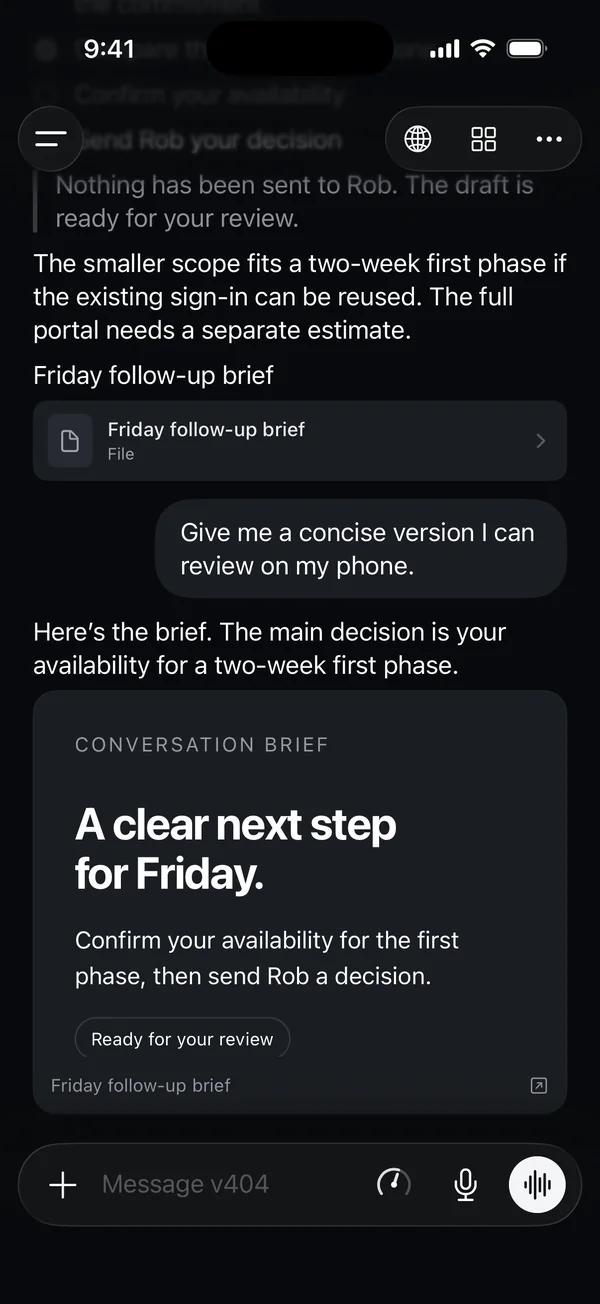
- Chat and voice
- Type to v404 or talk to it out loud, and interrupt it when you need to. Live voice uses OpenAI's Realtime service, so it needs an OpenAI key.
- Schedules
- Schedule a job for 7 am every weekday, or for the first of each month, and v404 runs it on your Mac at that time.
- Browser
- v404 has its own browser profile for work on the web. It stops to ask you before it presses a Pay or Buy button or submits a form. Some checkout pages pay through their own scripts, and v404 cannot always catch those.
- iPhone
- Once the connection is built, you will pair your iPhone by scanning a QR code on your Mac, and it will reach the Mac over Wi-Fi or cellular. Your iPhone will get one notification in the morning when something is ready. The Mac has to stay on, awake and online.
The connection between iPhone and Mac is still being built.
07 Models
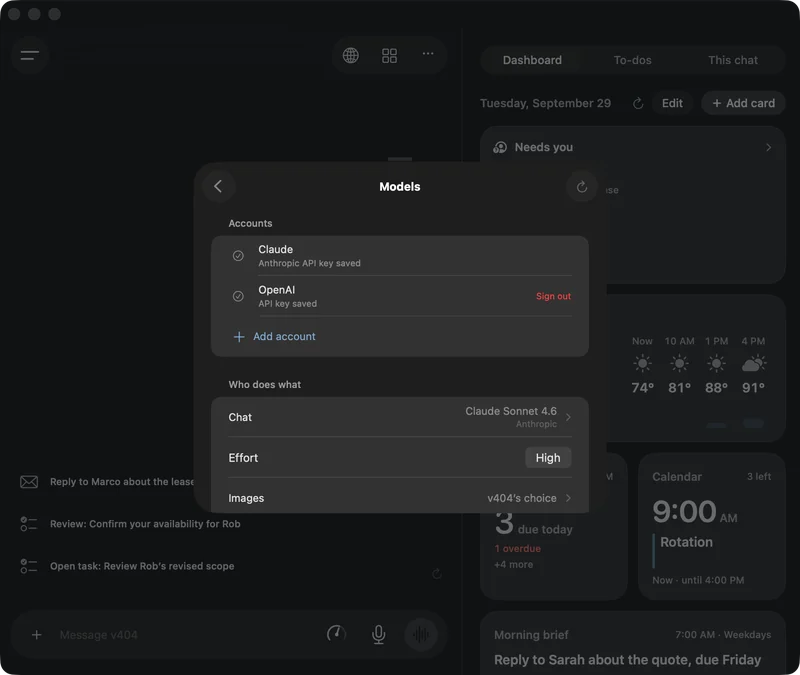
You can pay for a plan that includes the models, or use your own API key.
With a plan, v404 pays for the models, so you need no account with a model provider, and each request passes through a v404 server that counts your use. You can also add your own API key from a provider such as OpenAI or Anthropic. Your chats and to-dos are stored on your Mac, and v404 sends the model provider the text each request needs, including mail and texts.
08 The name
v404 is named after V404 Cygni, a black hole in the constellation Cygnus.
It is about 7,800 light-years away and has about nine times the mass of the Sun. It pulls gas from a close companion star that circles it every 6.5 days, and that gas forms the disk drawn through the 0 in the logo. The numbers under its name at the top of this page give its position in the sky.
In 2024 astronomers showed that a second star belongs to the system. It is at least 3,500 times as far from the pair as Earth is from the Sun, and it takes about 70,000 years to go around them.
Pre-order
Pre-order v404 with the models included, or with your own key.
Every plan gives you v404 for one Mac and for your iPhone and iPad. The three plans with models included are named for sizes of black hole.
Stellar
$20 a month
Models included, for light use.
Your first month starts the day you get access. Refundable any time before then.
Intermediate
$50 a month
Models included, for everyday use.
Your first month starts the day you get access. Refundable any time before then.
Supermassive
$200 a month
Models included, for heavy use every day.
Your first month starts the day you get access. Refundable any time before then.
Your key
$49 a year
Add an API key from a provider such as OpenAI or Anthropic, and pay that provider for what v404 uses.
Your first year starts the day you get access. Refundable any time before then.
A plan with models included pays for the models, so you need no account with a model provider. Each plan has a monthly allowance of model use, and when it is used up, v404 pauses model work until the next month or until you move to a larger plan. There are no overage charges.
Pre-orders are not open yet.
Mac beta
The Mac beta has no release date yet.
It will need a Mac with Apple silicon running macOS 26 or later, and an iPhone running iOS 26 or an iPad running iPadOS 26, or later.
The download is not available yet.